Enquiries (leads)
Where: Operations → Sales → Enquiries.
An enquiry is a customer's request before it becomes an order. The Lead Pipeline keeps every enquiry, who is chasing it and what happened to it.
The Lead Pipeline
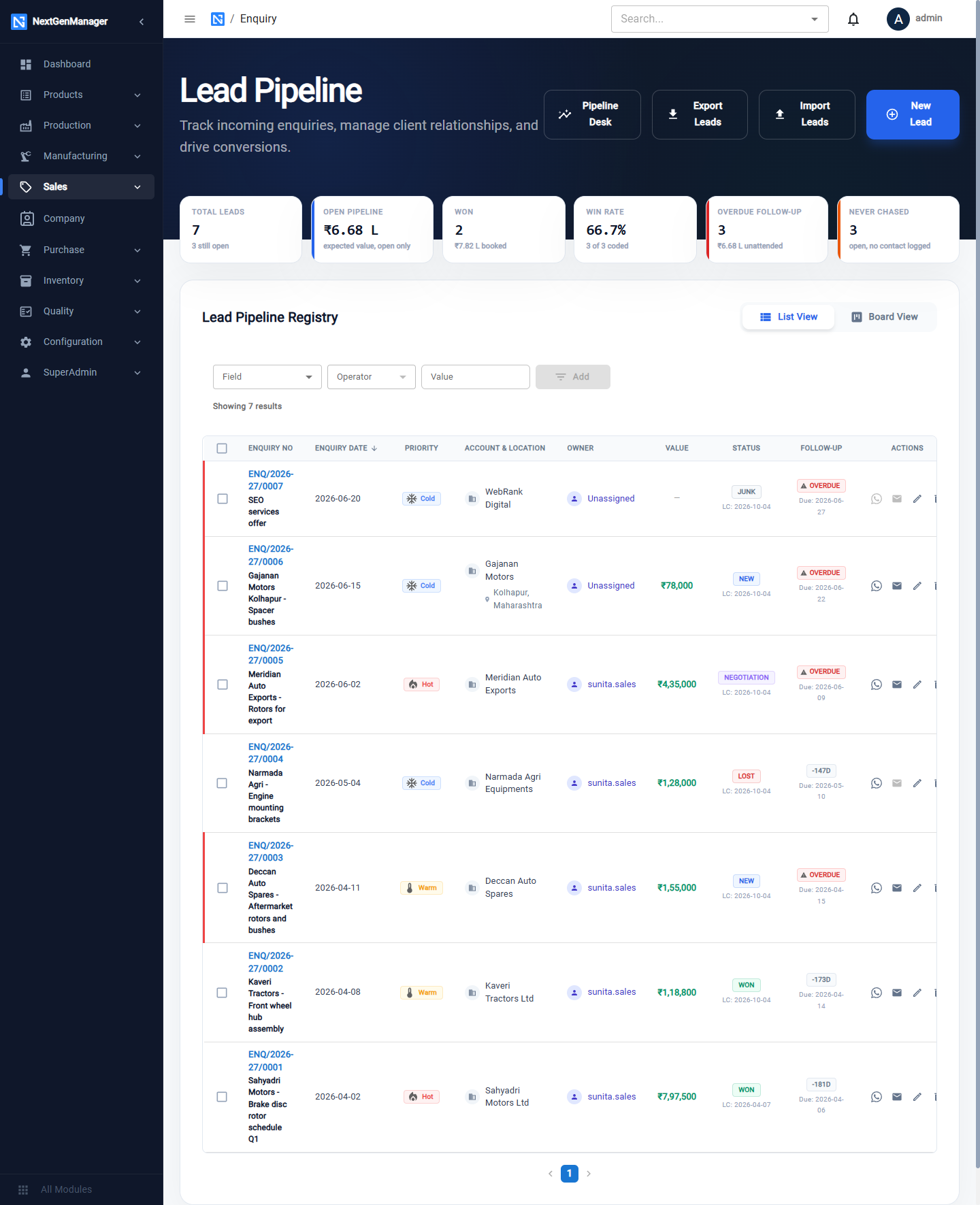
| Tile | Meaning |
|---|---|
| Total Leads | All enquiries |
| Open Pipeline | Expected value of enquiries still open |
| Won | Value booked |
| Win Rate | Won as a share of closed enquiries |
| Overdue Follow-up | Follow-up date has passed |
| Never Chased | Open enquiries with no contact logged |
Buttons at the top: Pipeline Desk (see CRM dashboards), Export Leads, Import Leads and New Lead. Each row has buttons to message, e-mail, edit and delete.
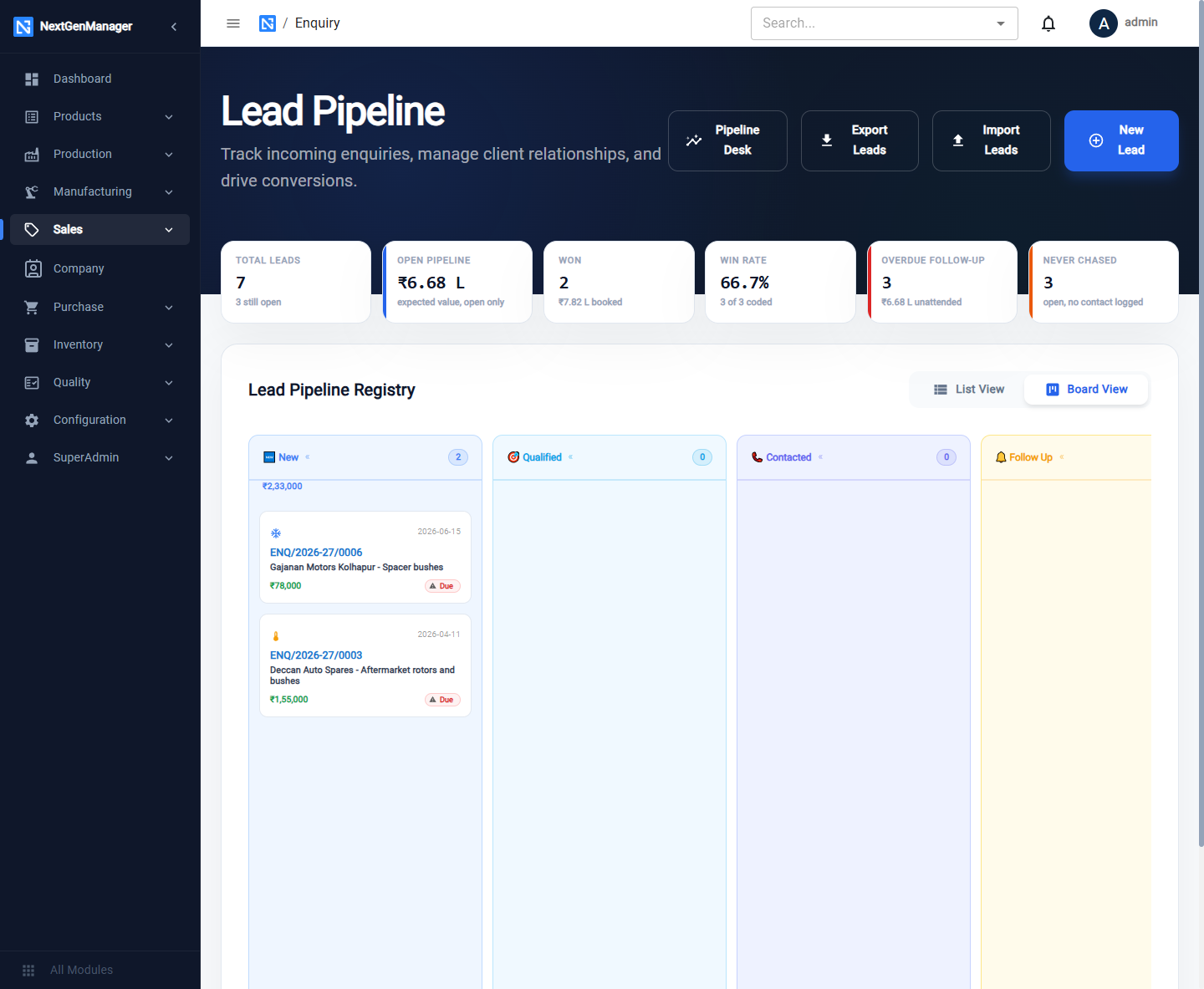
Switch between List View and Board View. The board shows one column per stage with the number and value of enquiries in it.
Capture a new lead
Click New Lead.
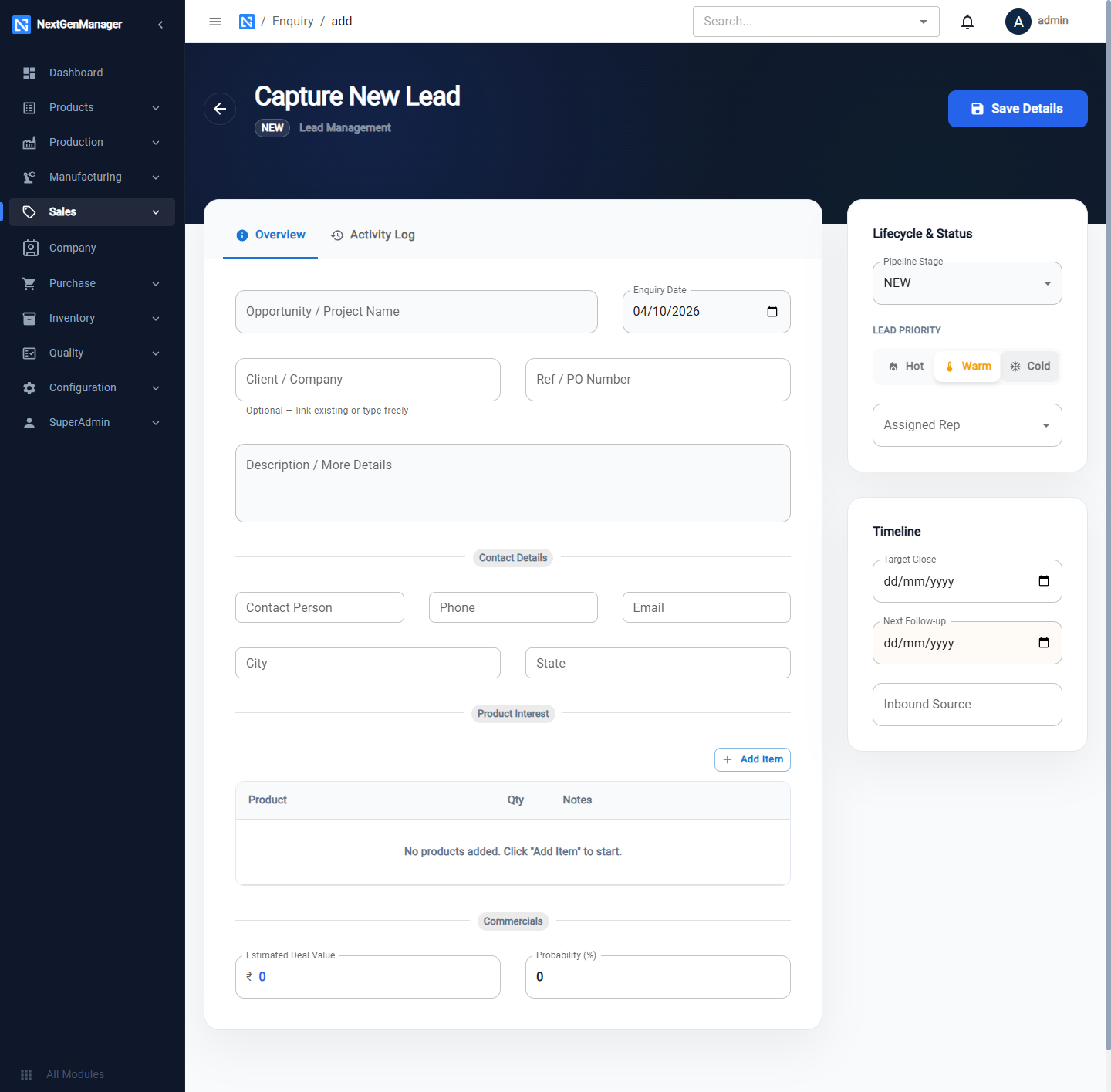
Overview
| Field | Notes |
|---|---|
| Opportunity / Project Name | Required |
| Enquiry Date | Today by default |
| Client / Company | Pick an existing contact — the contact person and phone fill in — or type the name of a new company |
| Ref / PO Number | The customer's reference |
| Description | What they want |
| Contact Person, Phone, Email, City, State | For a company not yet in Contacts |
| Product Interest | Add Item: product, quantity, notes |
| Estimated Deal Value, Probability % | Used for the weighted pipeline |
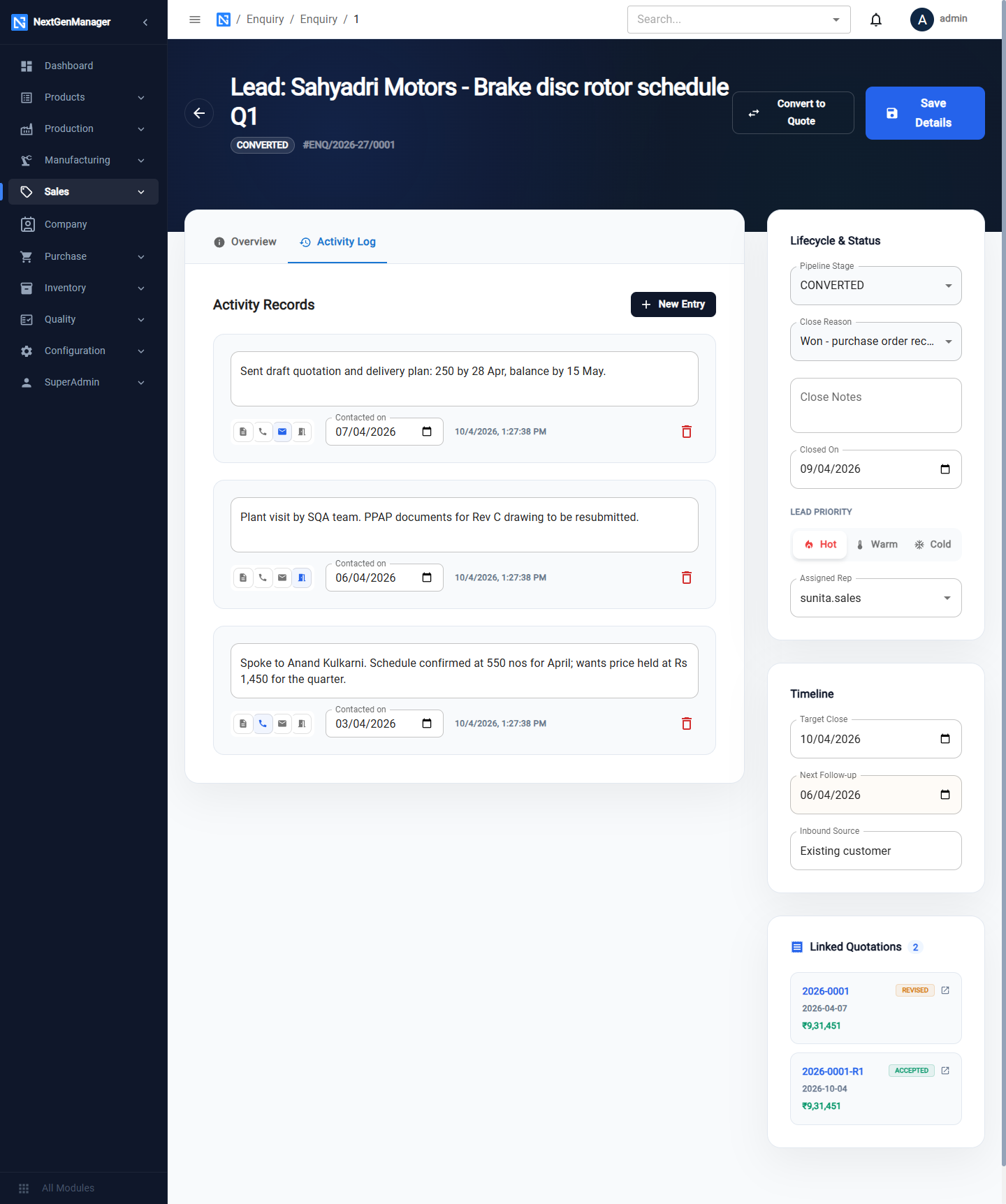
Lifecycle & Status (on the right)
| Field | Notes |
|---|---|
| Pipeline Stage | NEW, QUALIFIED, CONTACTED, FOLLOW_UP, QUOTED, NEGOTIATION, CONVERTED, LOST, JUNK, CLOSED |
| Lead Priority | Hot, Warm or Cold |
| Assigned Rep | The user responsible |
| Target Close, Next Follow-up | Dates that drive the overdue tile |
| Inbound Source | Where the enquiry came from. What you type is remembered for next time |
Click Save Details. The enquiry is numbered ENQ/2026-27/0001.
Work an enquiry
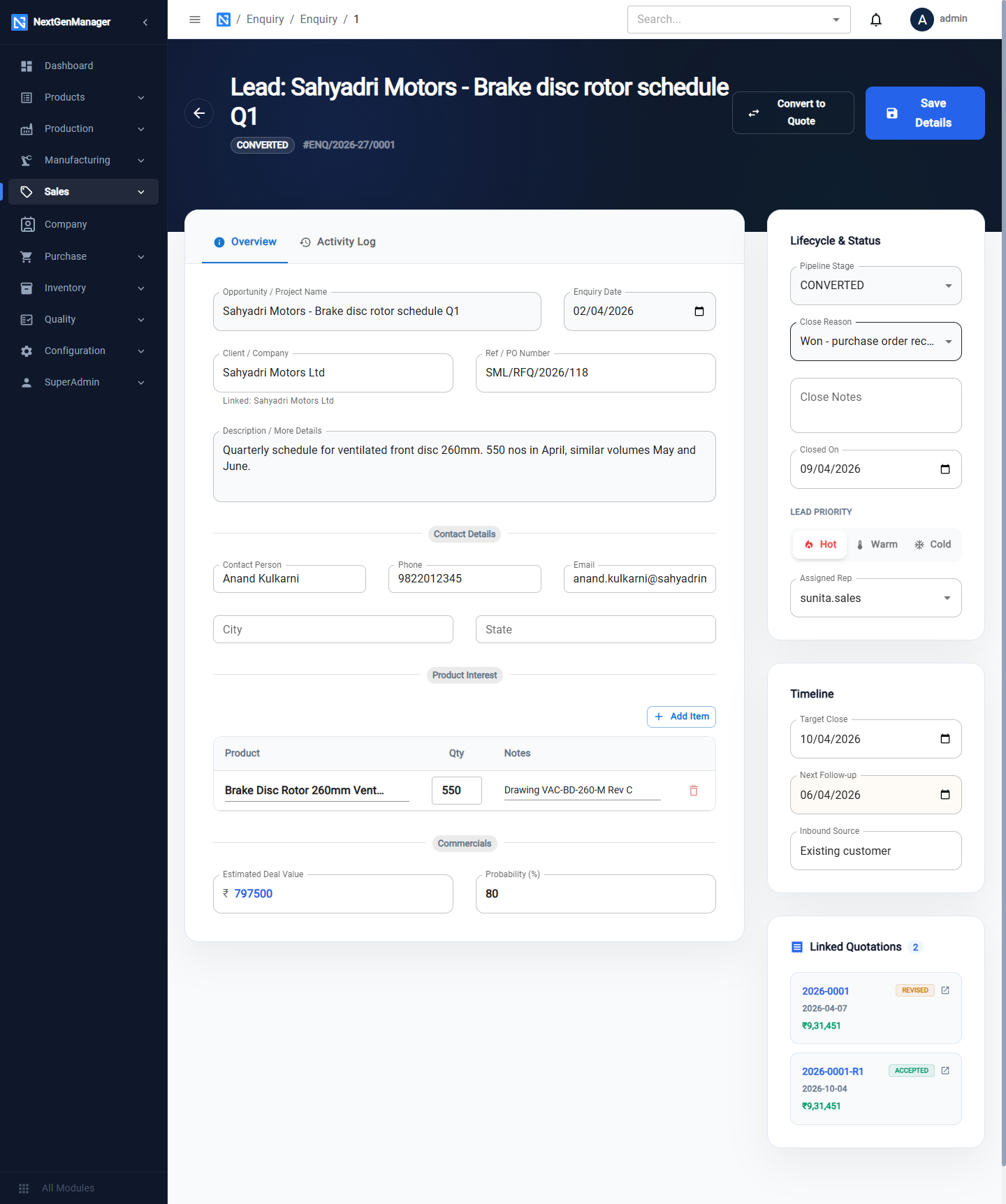
Open the enquiry to edit it.
Log an activity
Open the Activity Log tab and click New Entry. Choose the kind — Note, Call, Email or Meeting — type what happened and set Contacted on. Click Save Details to keep it.
Raise a quotation
Click Convert to Quote. A draft quotation opens with the customer and products from the enquiry. See Quotations. Quotations raised from an enquiry are listed on it under Linked Quotations.
Close an enquiry
Set the Pipeline Stage to CONVERTED, LOST, JUNK or CLOSED. Three more fields appear:
| Field | Notes |
|---|---|
| Close Reason | Choose from the list, for example Won - purchase order received or Lost on price / rate too high |
| Close Notes | Detail |
| Closed On | The date |
The close reasons are what the Pipeline Desk uses to show why business was won or lost.