Warehouses and bin locations
Where: Operations → Inventory → Warehouses.
Warehouse Control
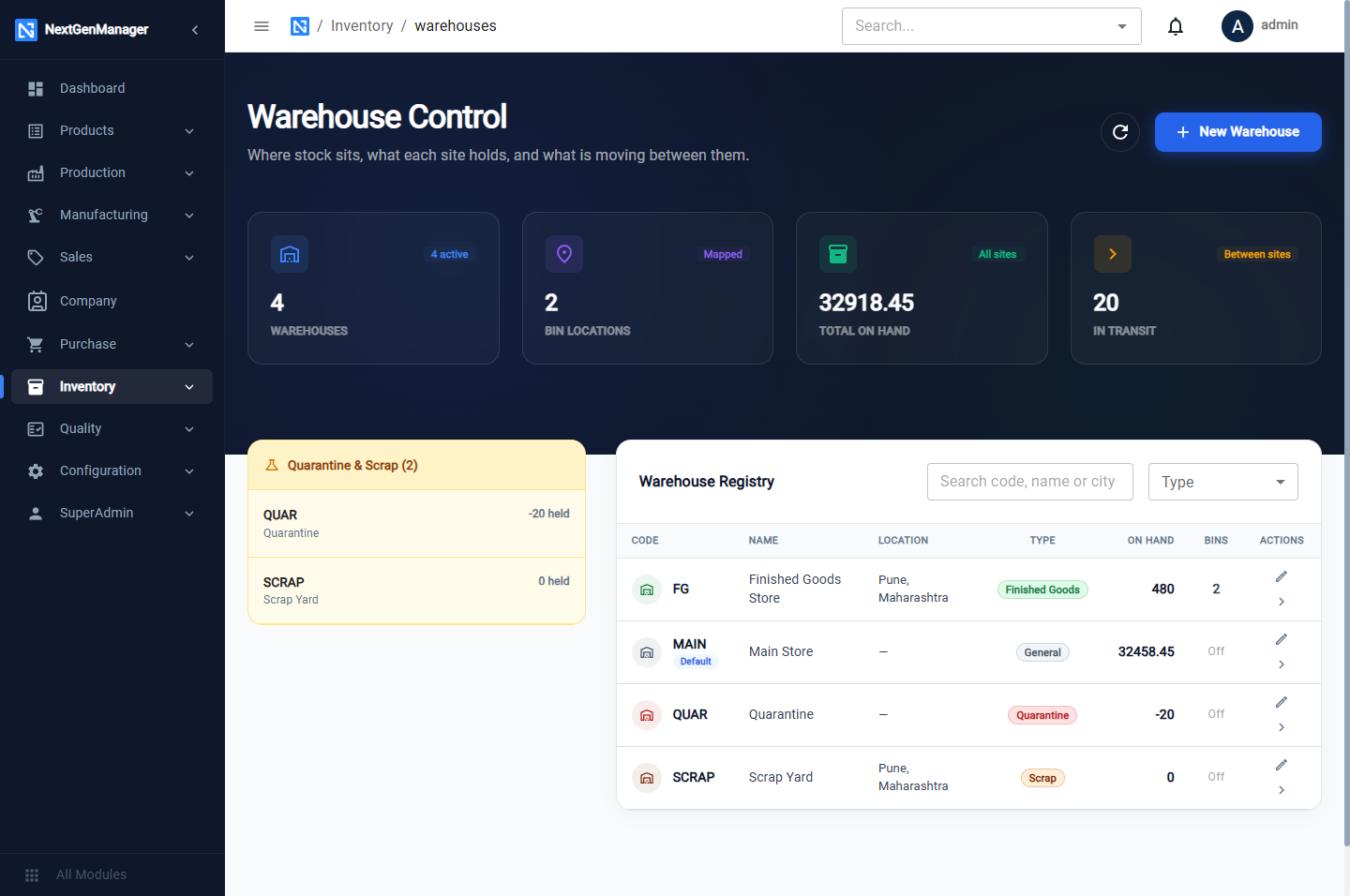
- Tiles: Warehouses, Bin Locations, Total On Hand, In Transit.
- The Quarantine & Scrap strip shows what is being held aside.
- The registry lists each warehouse with its code, name, location, type, stock on hand and number of bins.
Two warehouses exist from the start:
| Code | Name | Purpose |
|---|---|---|
MAIN | Main Store | The default warehouse. Stock goes here unless you say otherwise |
QUAR | Quarantine | Rejected goods wait here until they are returned or scrapped |
Add a warehouse
Click New Warehouse.
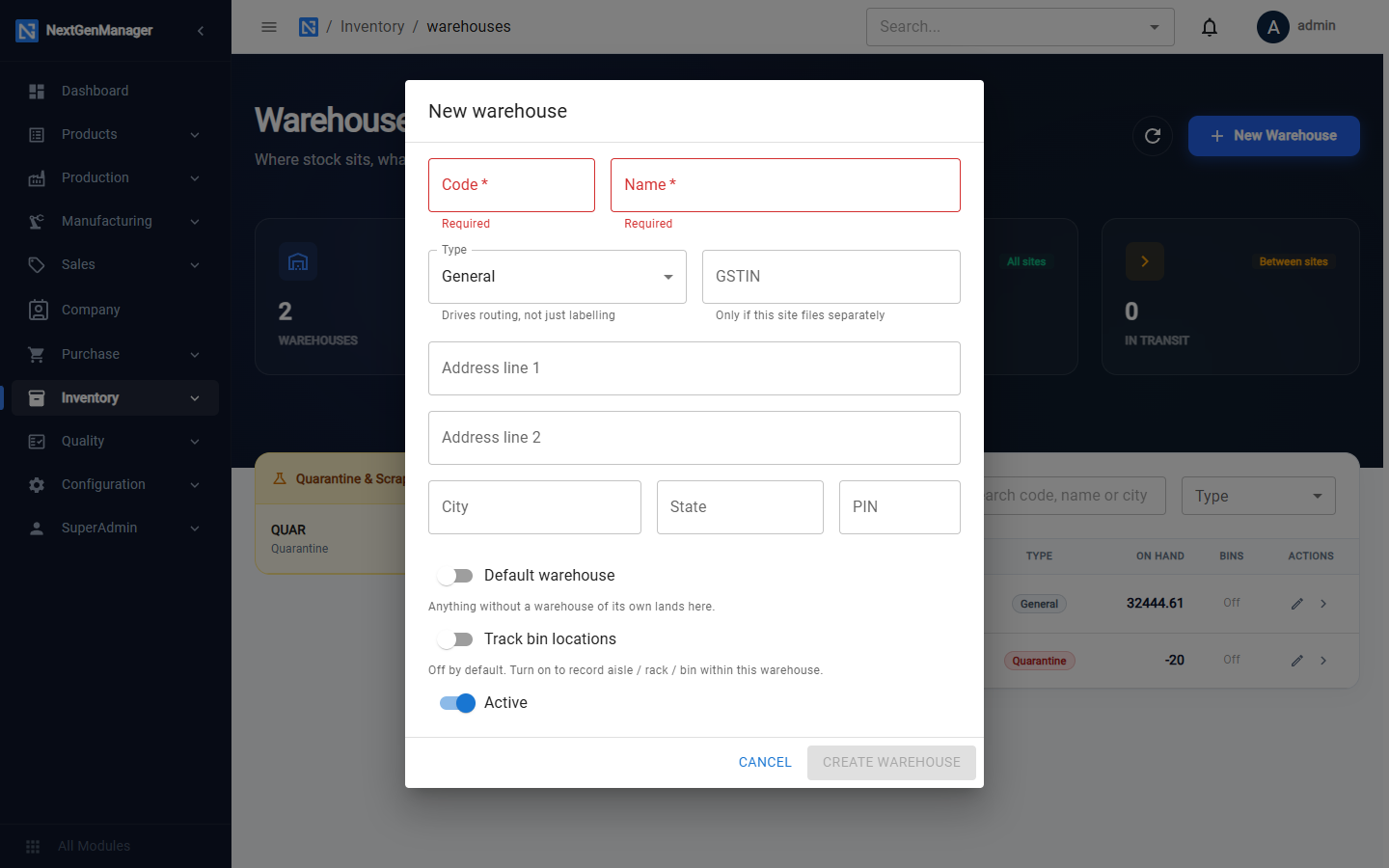
| Field | Notes |
|---|---|
| Code | Required. Short, for example FG. This is the code you type on receipts and debit notes |
| Name | Required |
| Type | General, Raw Material, Work in Progress, Finished Goods, Quarantine or Scrap. The type drives routing, not just labelling |
| GSTIN, address | For a warehouse at another site |
| Default warehouse | Make this the one used when no warehouse is given |
| Track bin locations | Switch on to use bins in this warehouse |
| Active | Switch off to retire a warehouse |
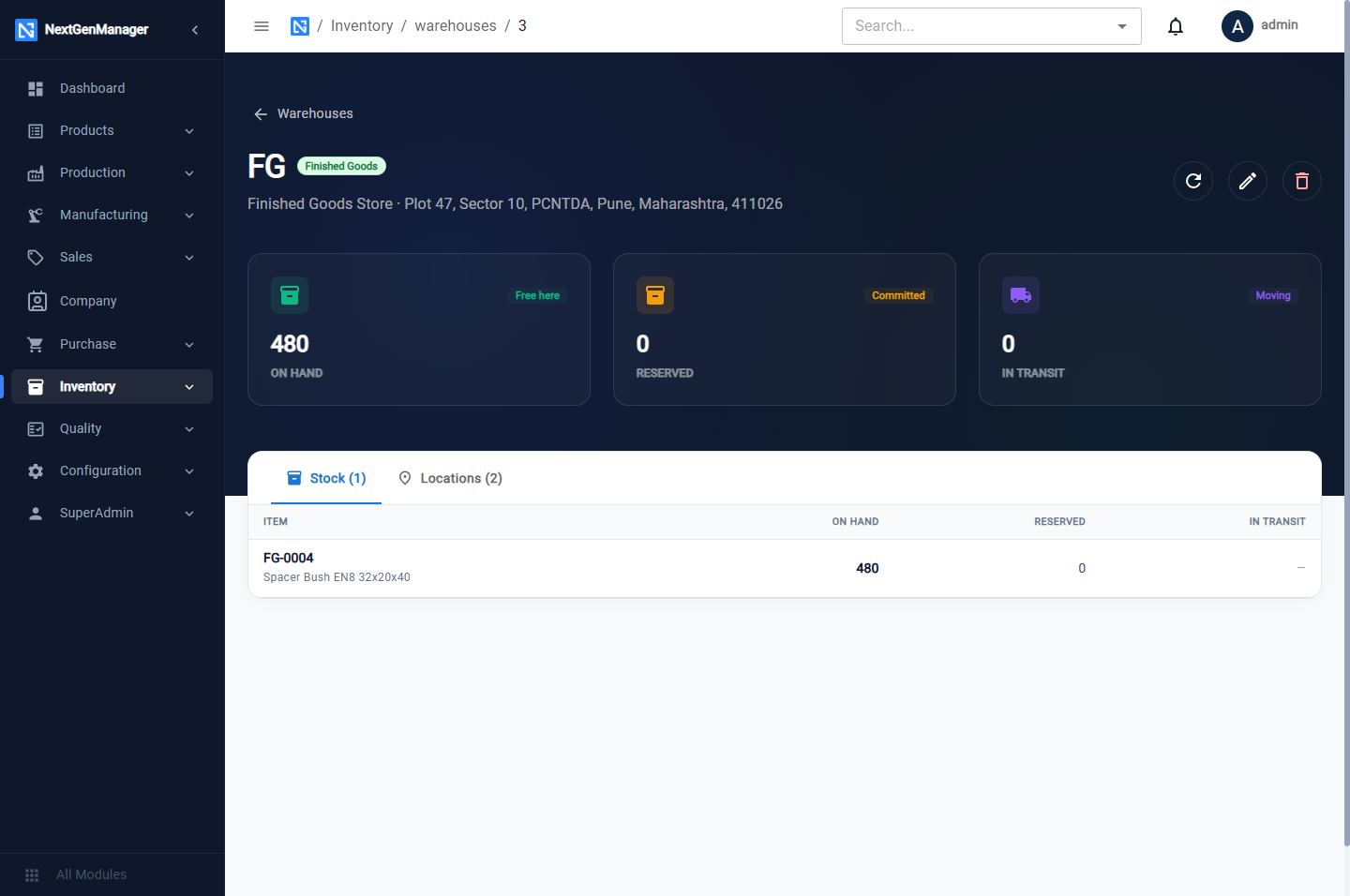
A warehouse's page
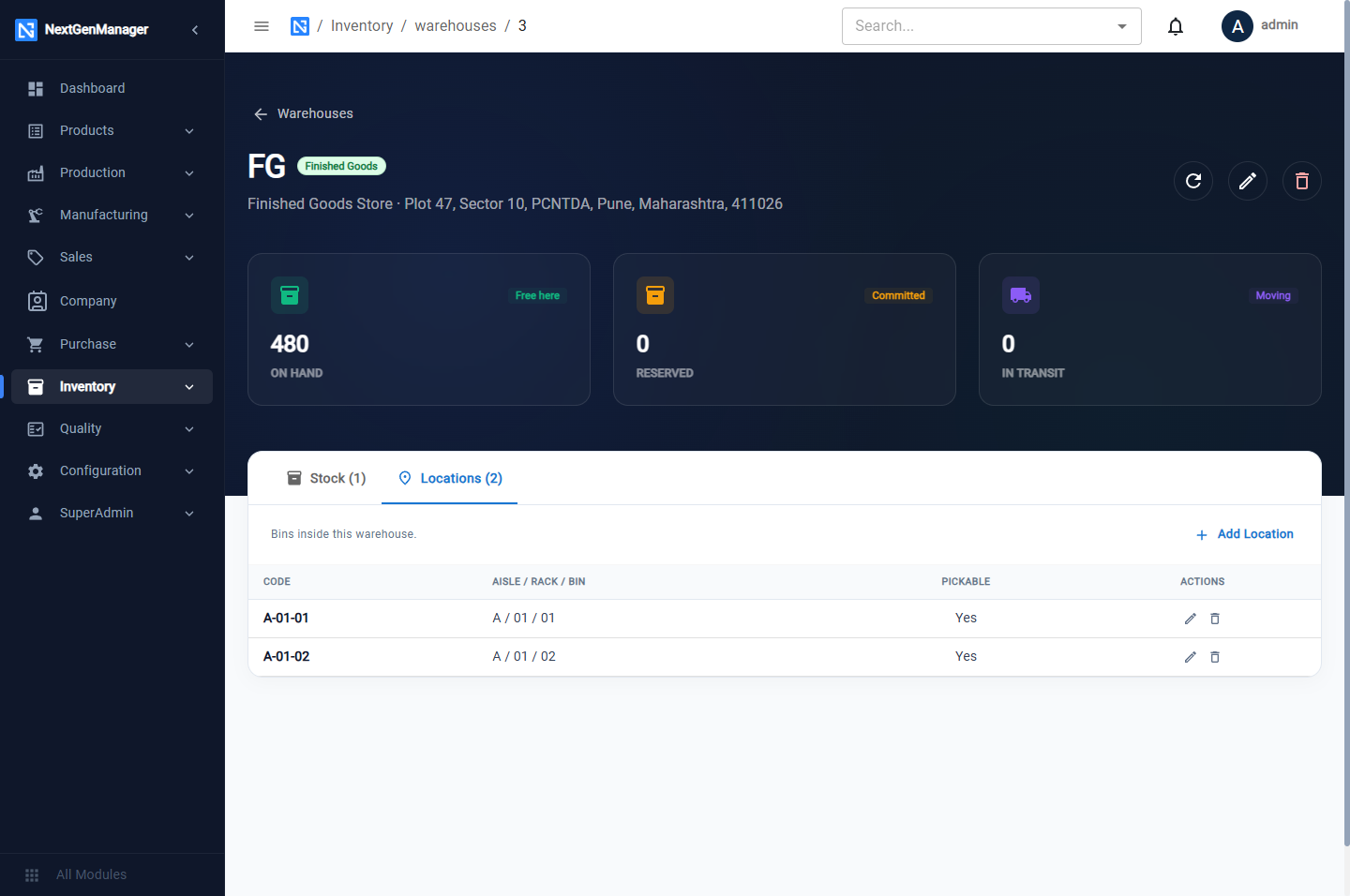
Click a warehouse to open it. The tiles show stock On Hand (free), Reserved and In Transit. The Stock tab lists what it holds.
Bin locations
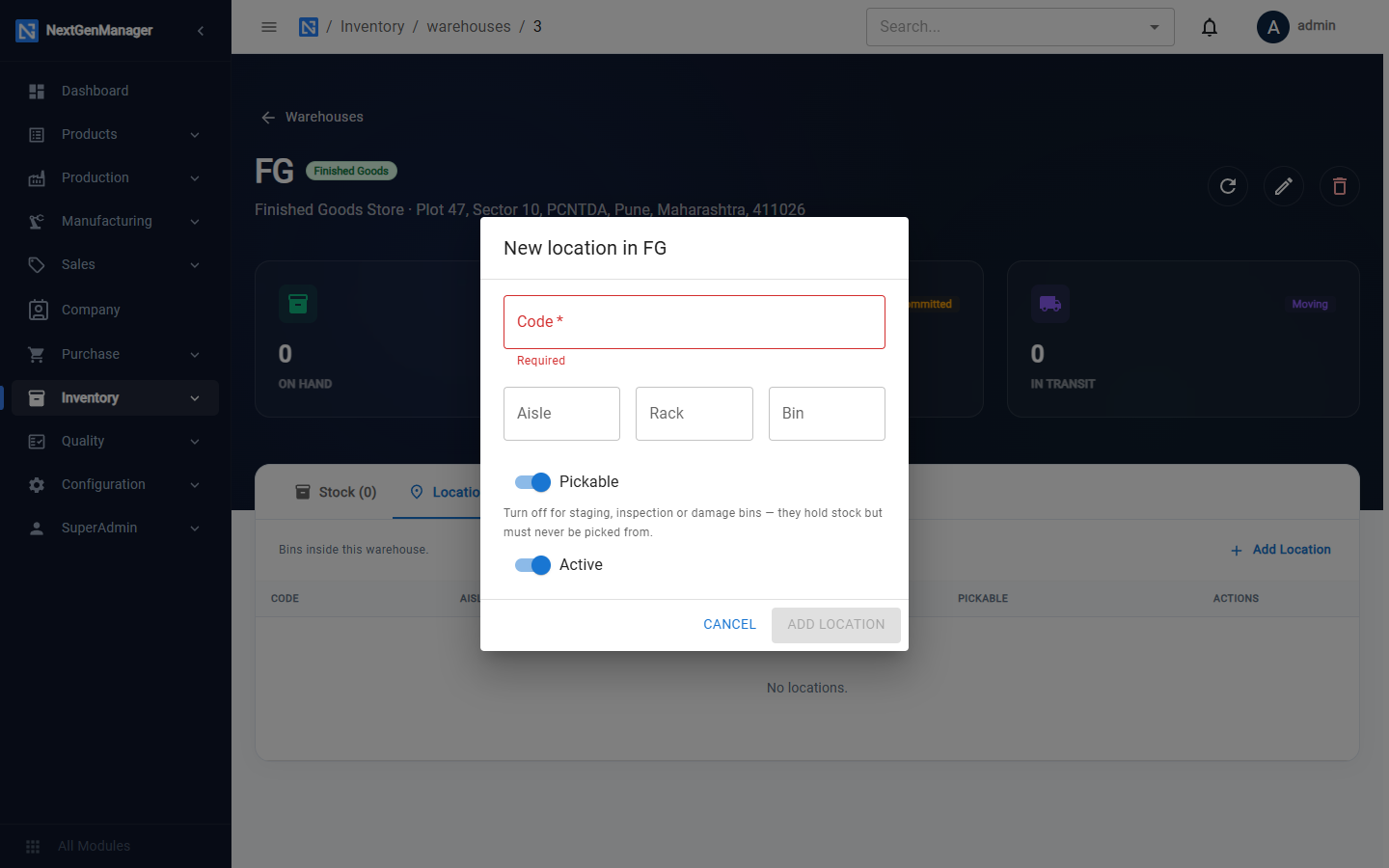
Open the Locations tab and click Add Location.
| Field | Notes |
|---|---|
| Code | Required, for example A-01-01 |
| Aisle, Rack, Bin | The three parts of the address |
| Pickable | Stock here can be picked for orders |
| Active | Switch off to retire a bin |
To move stock from one warehouse to another, see Stock transfers.