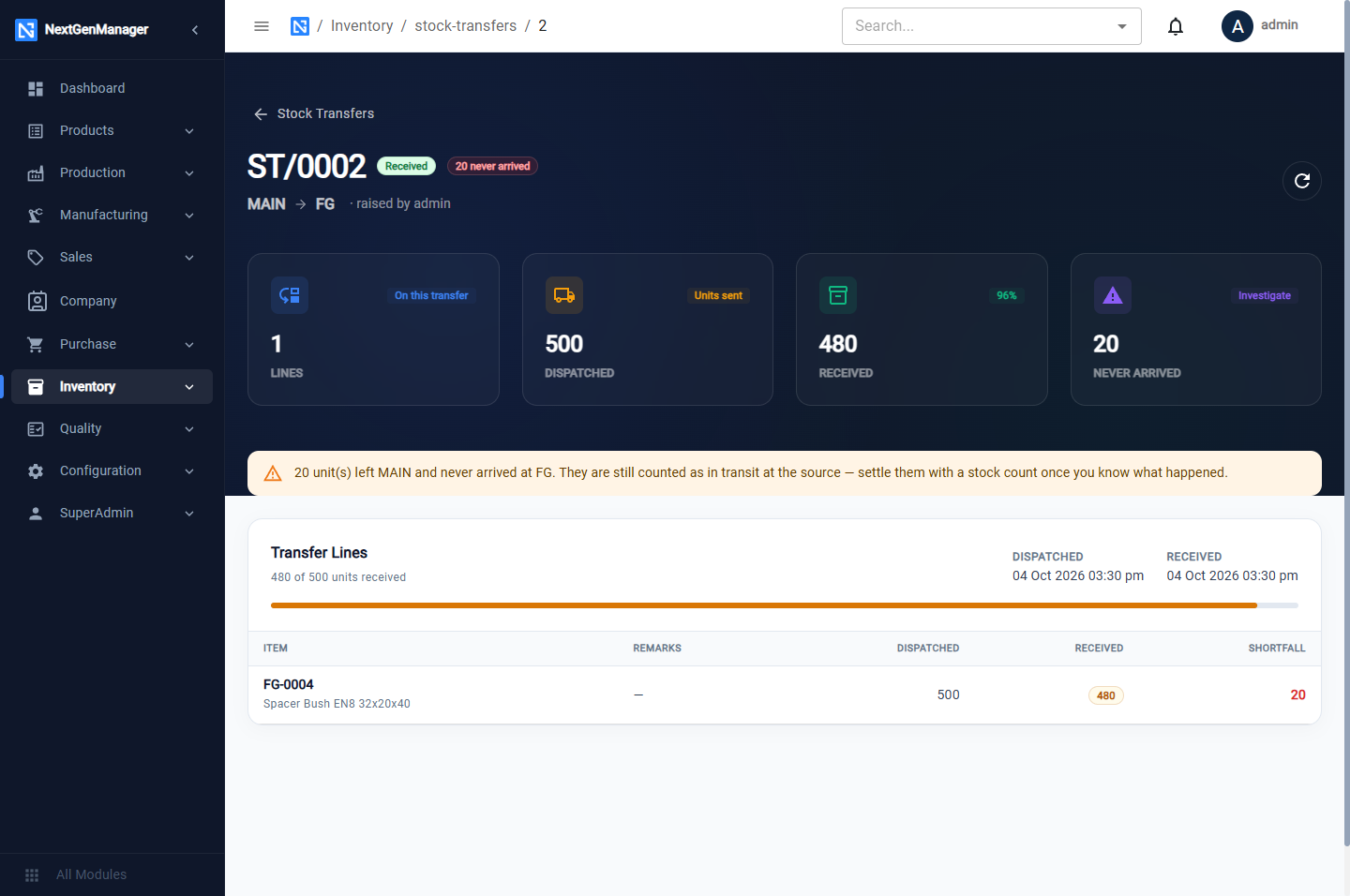
Stock transfers
Where: Operations → Inventory → Stock Transfers.
A transfer moves stock from one warehouse to another in three steps, so that goods on the road are never lost from view.
Draft → In Transit → Received
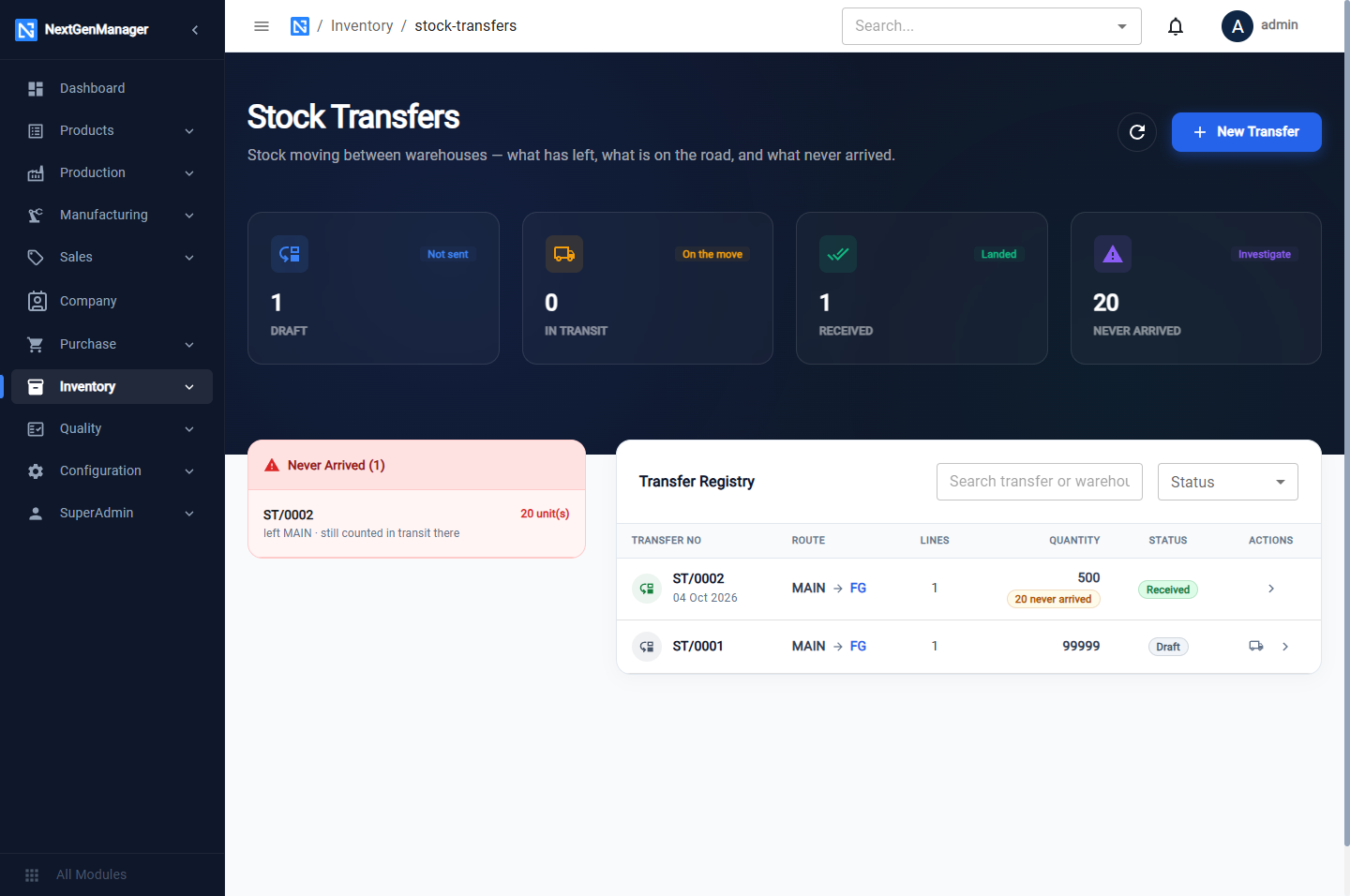
The tiles count transfers in Draft, In Transit and Received, and the quantity that Never Arrived.
Create a transfer
Click New Transfer.
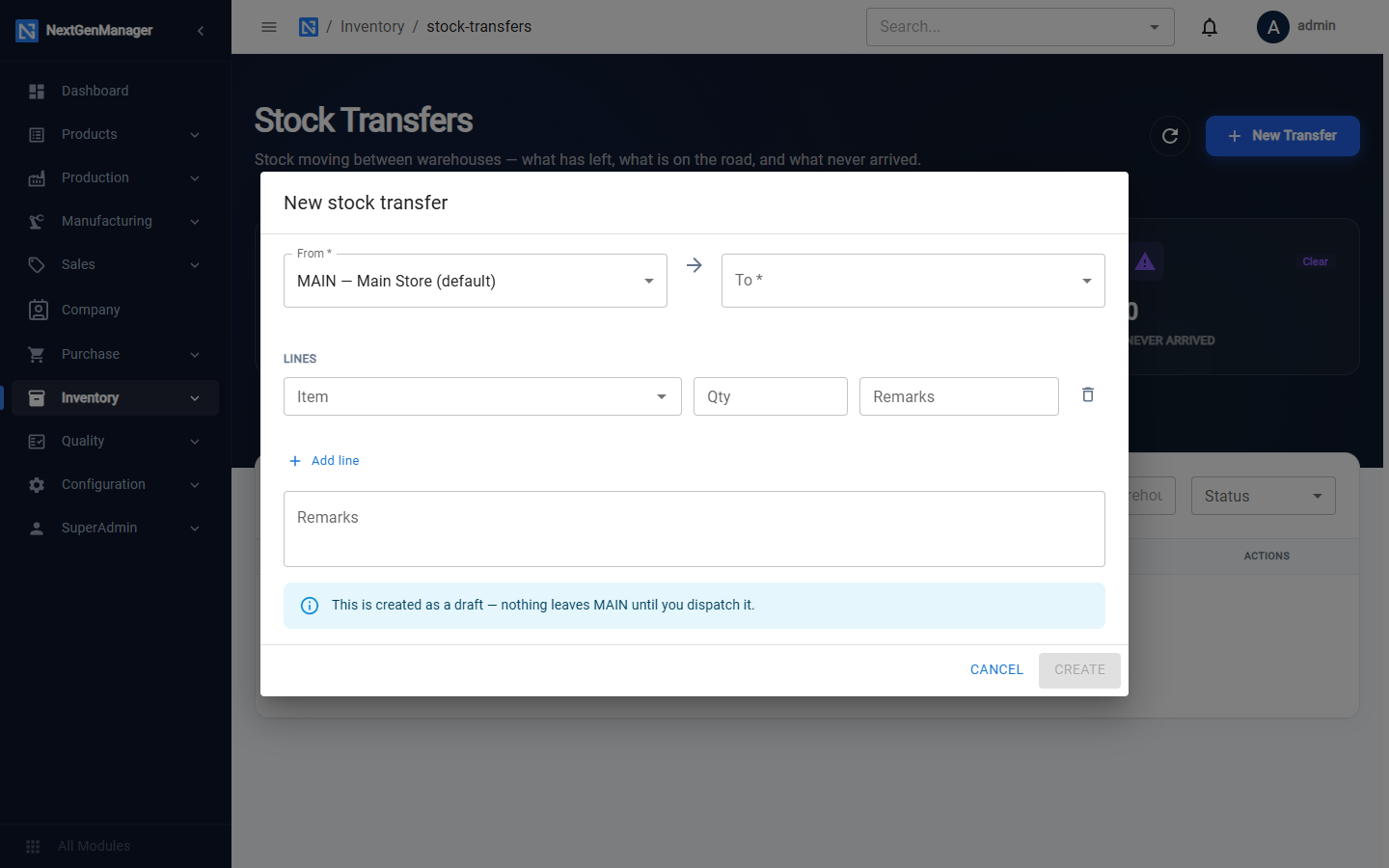
| Field | Notes |
|---|---|
| From, To | The source and destination warehouses |
| Lines | For each: Item, Qty, Remarks |
| Remarks | For the whole transfer |
Save it. The transfer is saved as a draft, numbered ST/0001. As the page says, nothing
leaves the source warehouse until you dispatch it.
:::tip Check the quantity before saving Make sure the quantity is no more than the stock in the source warehouse. A draft for more than is available cannot be dispatched. :::
Dispatch
Open the draft and click Dispatch. The stock leaves the source warehouse and counts as in transit. A dispatched transfer cannot be cancelled.
Receive
At the destination, open the transfer and click Receive. Enter the quantity received for each line and confirm.
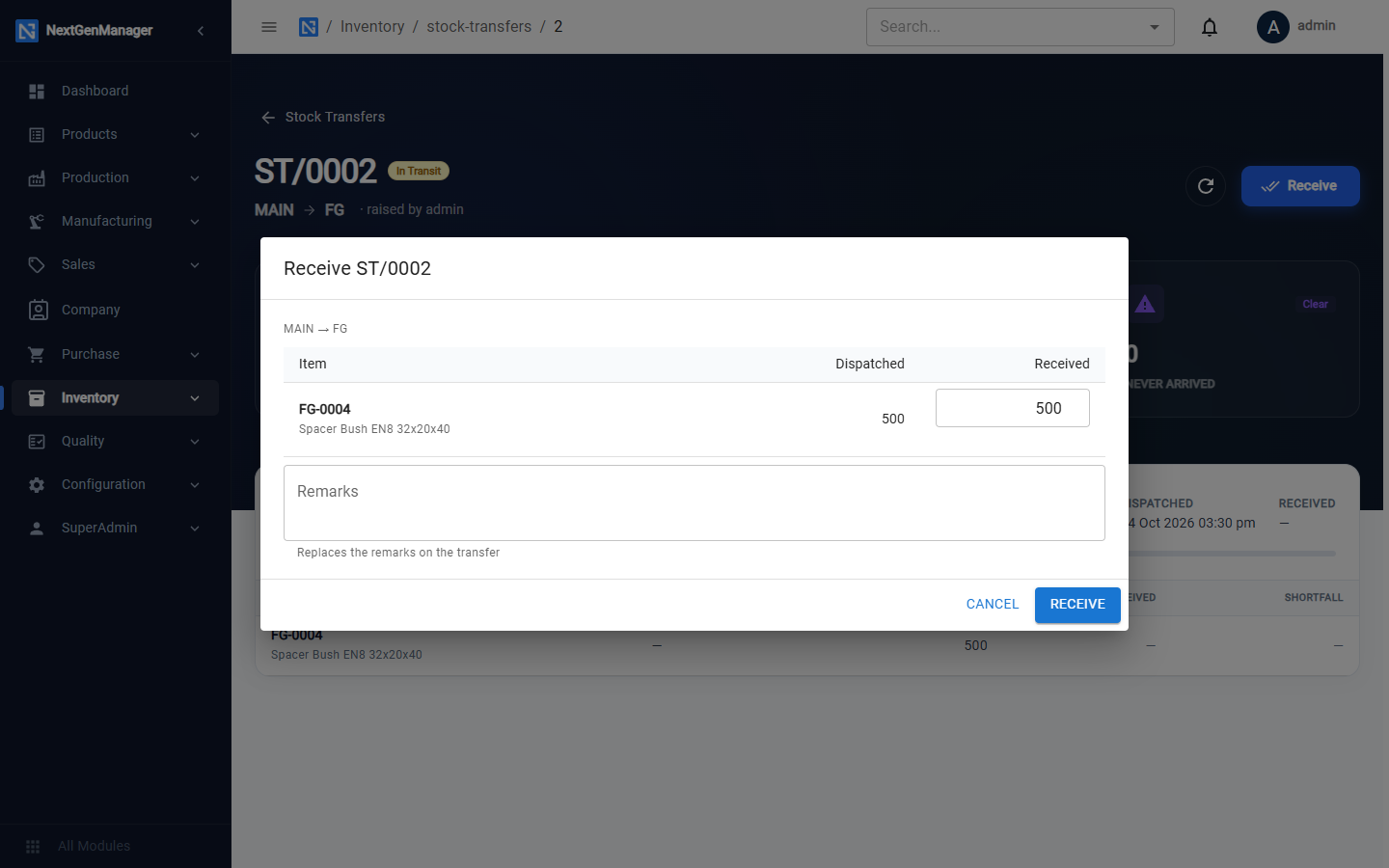
If less arrives than was sent, the difference is shown as never arrived. It stays counted as in transit at the source until you settle it with a stock count.