Inventory overview
Where: Operations → Inventory → Dashboard.
The Inventory Management page has six tabs. Receive Stock at the top right is available on all of them.
Dashboard
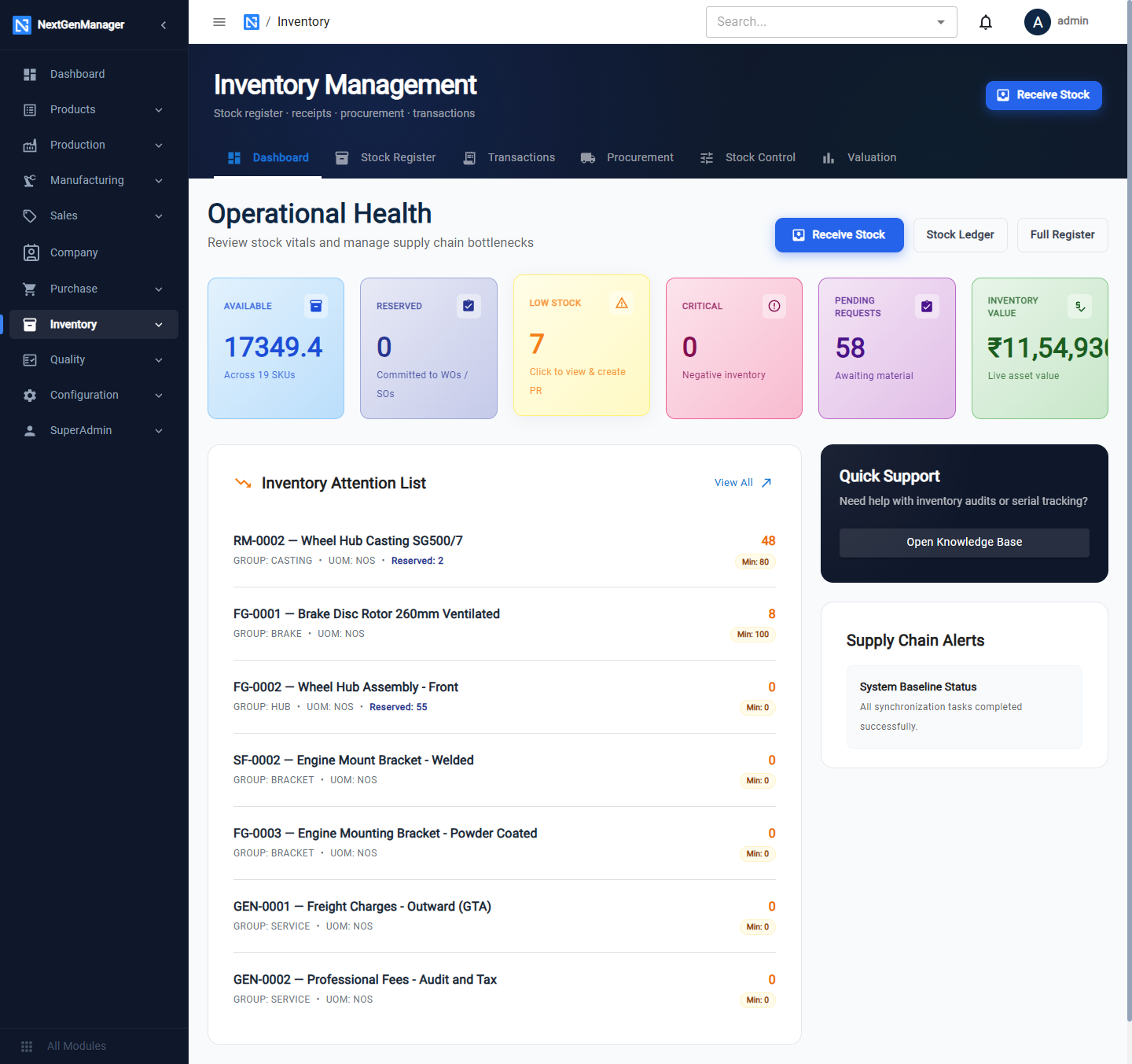
| Tile | Meaning |
|---|---|
| Available | Units free to use across all products |
| Reserved | Units committed to work orders and sales orders |
| Low Stock | Products under their minimum. Click it to view them and raise a purchase requisition |
| Critical | Products with negative stock |
| Pending Requests | Material requests waiting for stores |
| Inventory Value | Stock on hand at cost |
The Inventory Attention List names each product that is under its minimum, and Supply Chain Alerts shows system notices.
Stock Register
One row per product.
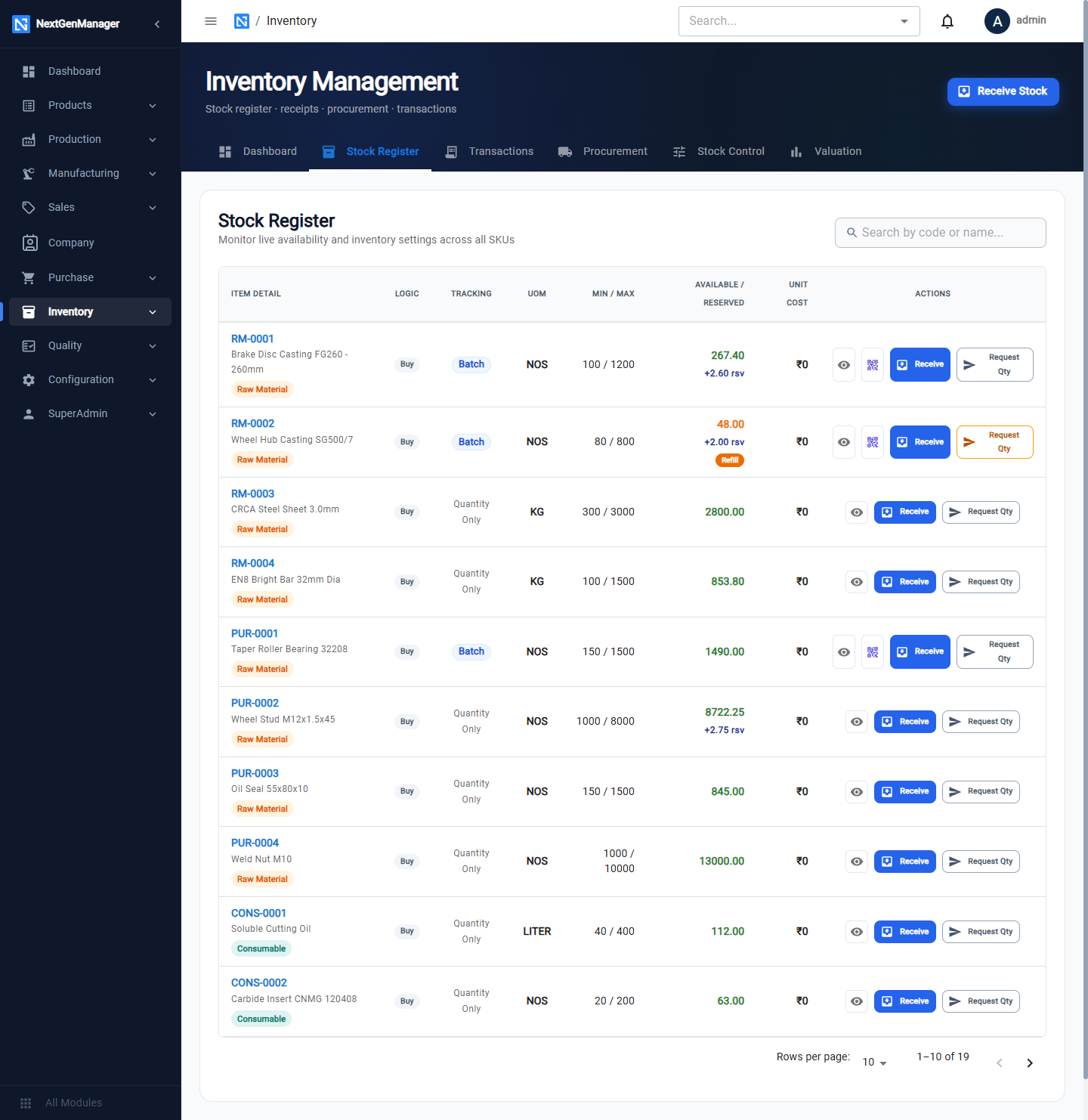
| Column | Meaning |
|---|---|
| Logic | Buy or Make |
| Tracking | Batch, Serial or Quantity Only |
| UOM, Min / Max | From the product's Inventory Settings |
| Available / Reserved | Free stock, and stock committed |
| Unit Cost | The cost used for valuation |
Row buttons:
- View Stock Ledger (eye) — every movement of the product, in and out.
- View Batches & Serials — the batches and serial numbers on hand.
- Receive — take stock in.
- Request Qty — ask for stock to be issued.
A tag under a product's code warns when it is low on stock.
Transactions
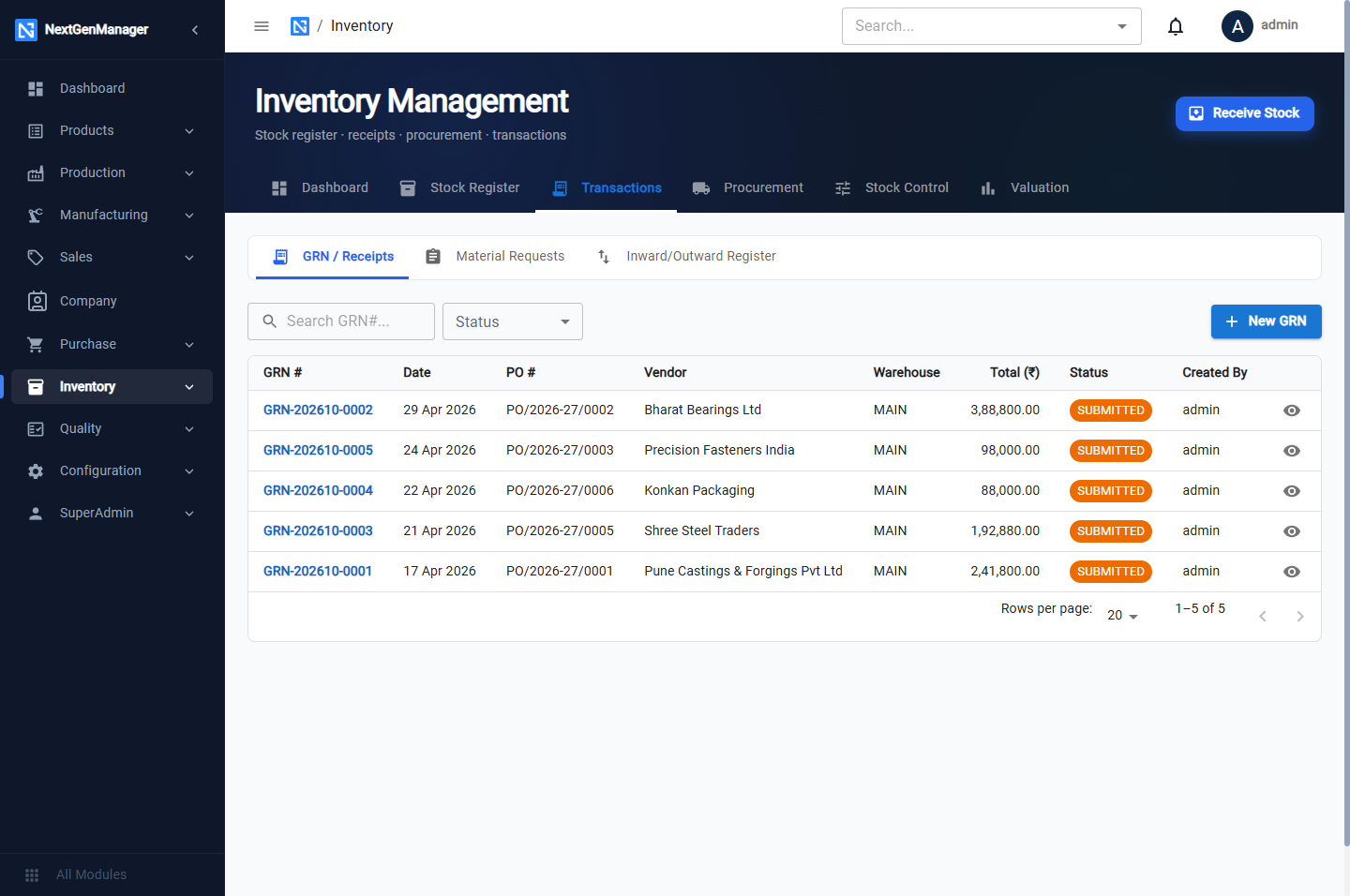
Three sub-tabs:
- GRN / Receipts — every goods receipt, with New GRN.
- Material Requests — see Material requests.
- Inward/Outward Register — a dated register of everything received and issued.
Procurement
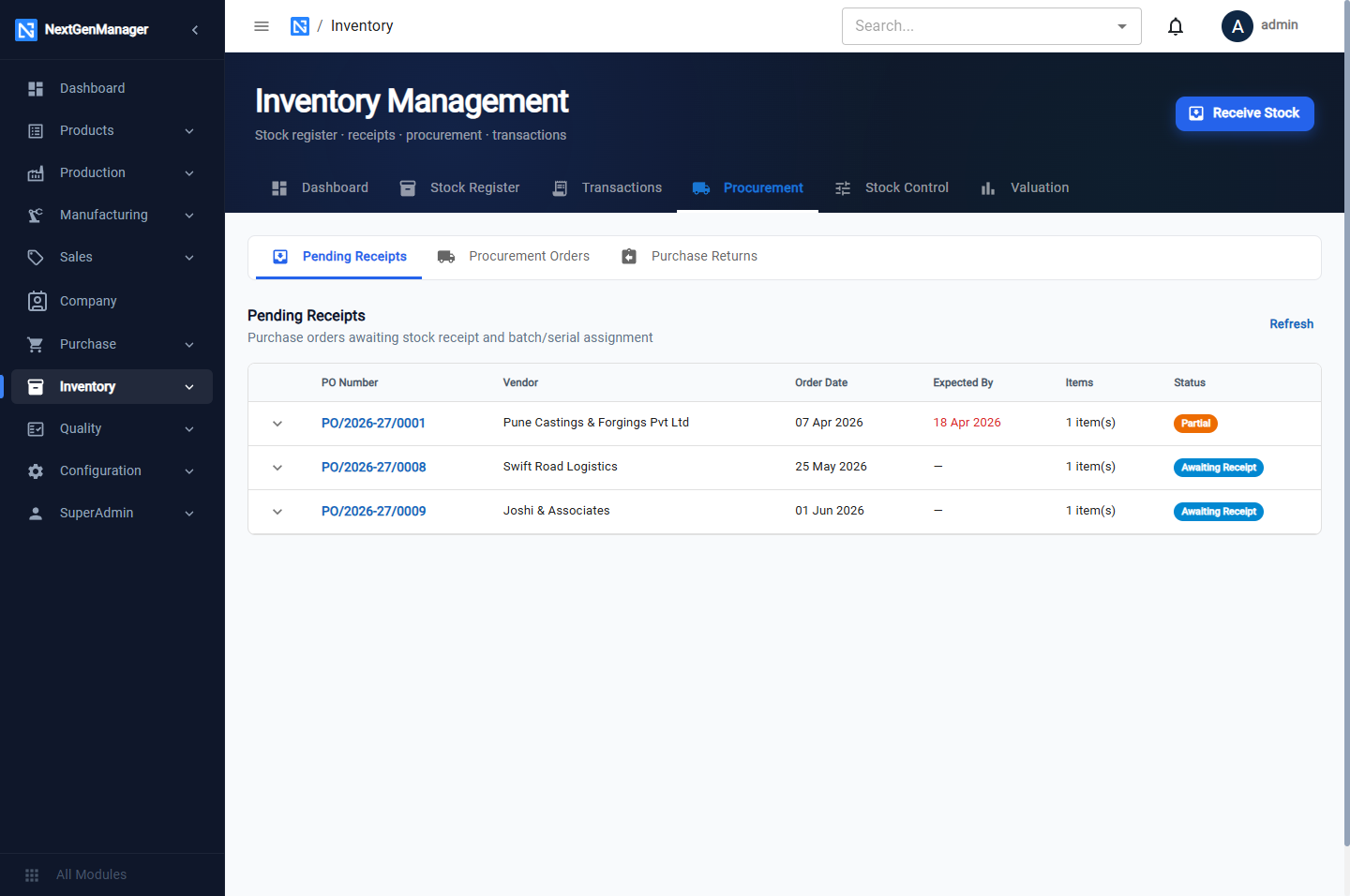
- Pending Receipts — purchase orders that have been sent to the vendor and are waiting for goods.
- Procurement Orders — every replenishment the system has raised, with its strategy (Work Order, Purchase or Opening Stock), quantity, status and a Mark Received button.
- Purchase Returns — returns to vendors.
Stock Control
- Opening Stock Entry — see Opening stock.
- Physical Stock Count — see Stock count.
Valuation
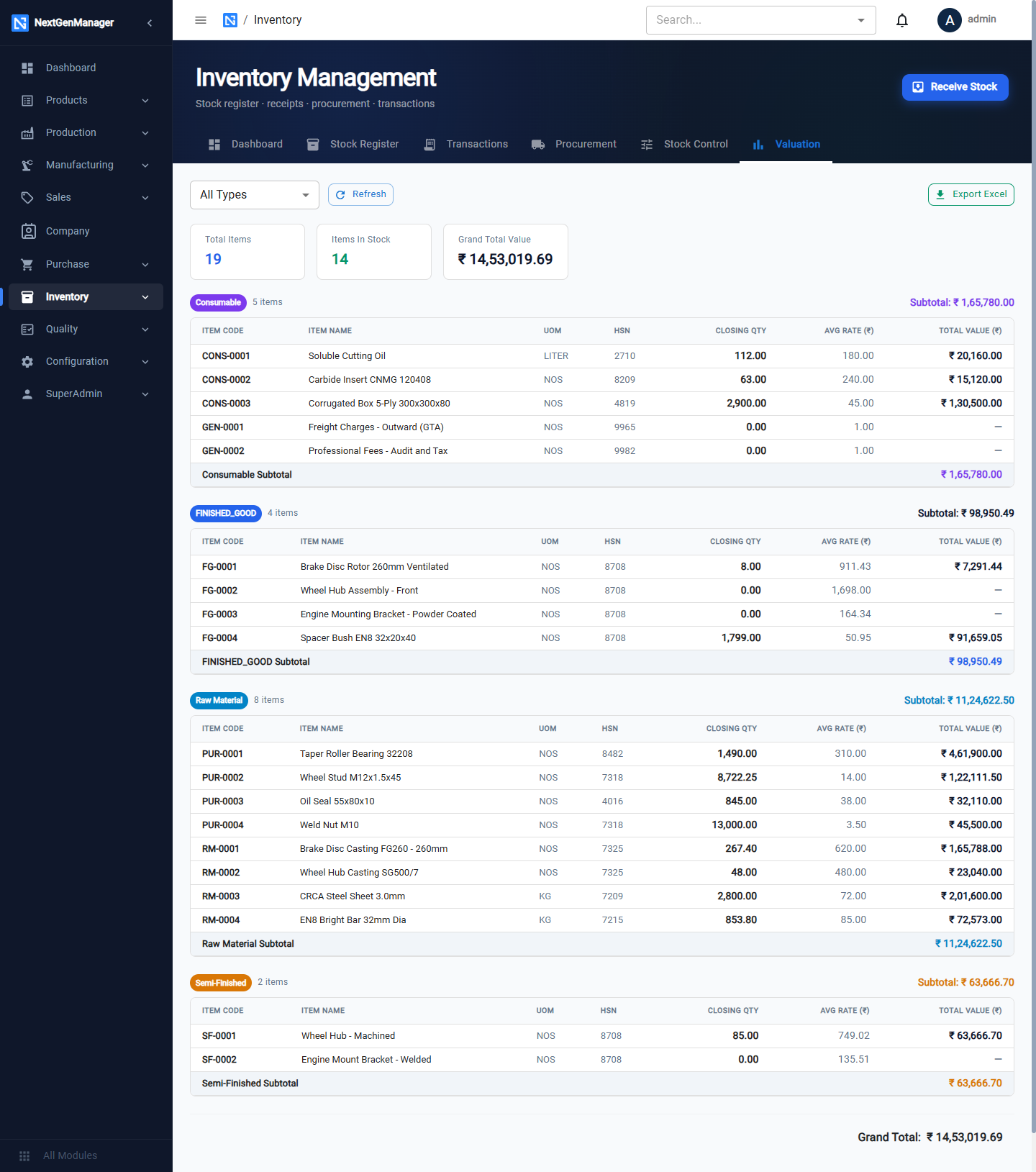
Closing quantity × average rate for every product, grouped by item type with subtotals and a grand total. Filter by type with the dropdown; Export Excel downloads the report.
Other inventory screens
| Screen | Guide |
|---|---|
| Warehouses | Warehouses and bin locations |
| Stock Transfers | Stock transfers |
| Pick Lists, Packing Slips | Picking, packing and dispatch |
| Material Requests | Material requests |