Company details
Where: Operations → SuperAdmin → Company Details. You need the administrator role.
Fill this in before anything else. The details are printed on purchase orders, challans, invoices and reports, and the State decides whether a sale or purchase is charged CGST + SGST (same state) or IGST (another state).
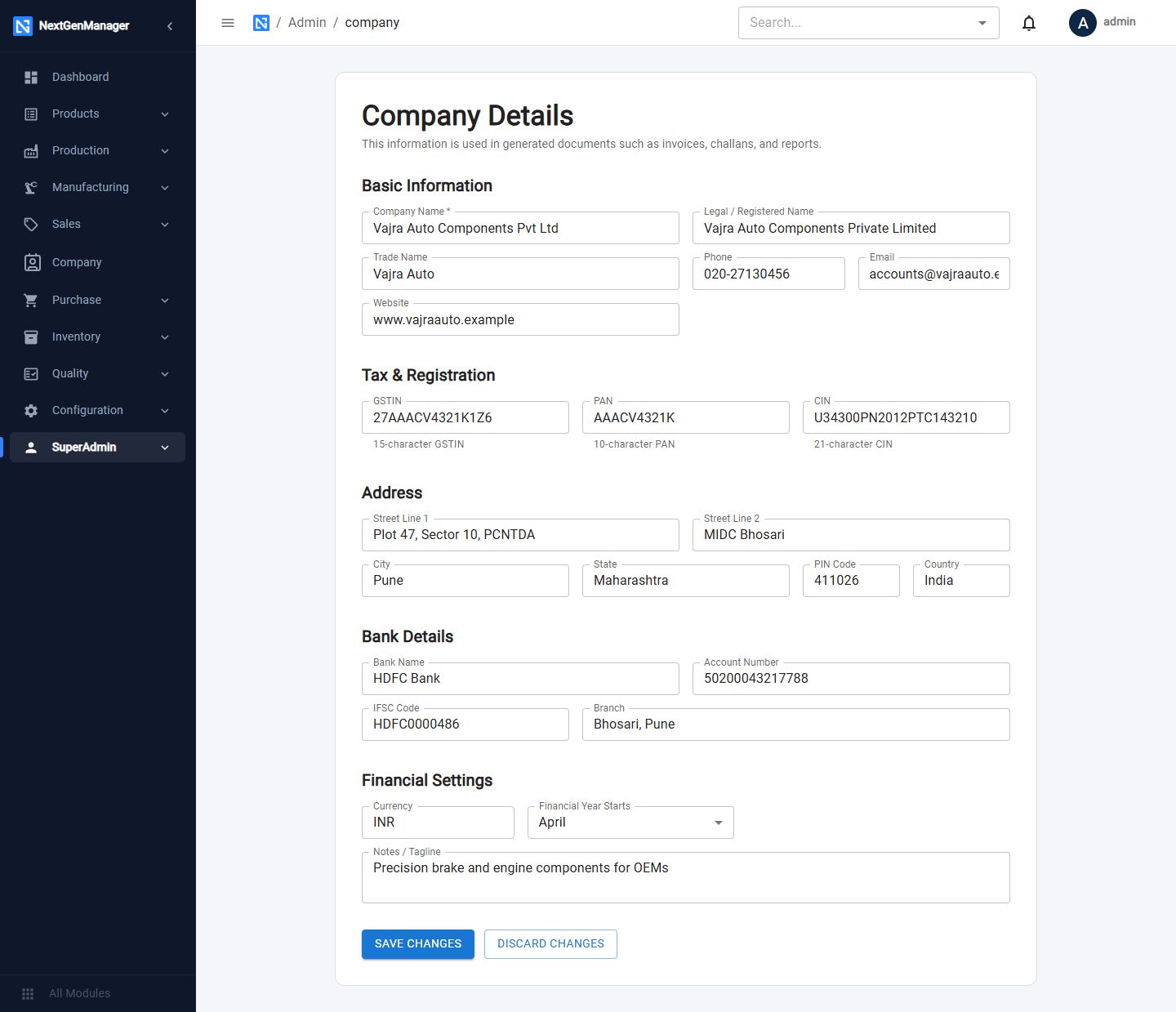
The fields
| Section | Fields |
|---|---|
| Basic Information | Company Name (required), Legal / Registered Name, Trade Name, Phone, Email, Website |
| Tax & Registration | GSTIN (15 characters), PAN (10 characters), CIN |
| Address | Street Line 1, Street Line 2, City, State, PIN Code, Country |
| Bank Details | Bank Name, Account Number, IFSC Code, Branch — printed on invoices for customers to pay into |
| Financial Settings | Currency, Financial Year Starts (month), Notes / Tagline |
Click SAVE CHANGES. The message Company details saved successfully confirms it. DISCARD CHANGES puts the form back as it was.
:::tip Check the GSTIN and PAN yourself The form does not check the format of the GSTIN or PAN. Compare them with your registration certificate before saving, because they are printed on every tax document. :::
What to set up next
- Users and roles — one login per person.
- Financial year — nothing can be posted to the books without one.
- Opening balances — if you are moving from another system.
- Contacts, products and the manufacturing setup.
- Opening stock.